Once IT has enabled your user to require 2-factor authentication, the next time you log into webmail (https://mail.concordiatheatre.co.uk) you will be prompted to configure additional security on your account.
- you will see a prompt stating more information is required.
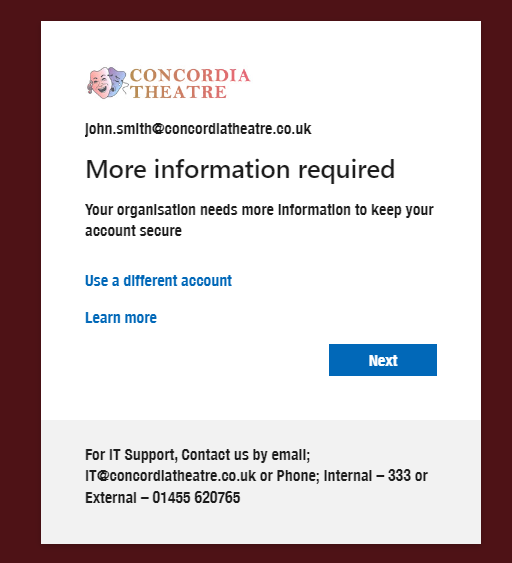
after Clicking next, you will see a page titled Keep your account Secure.
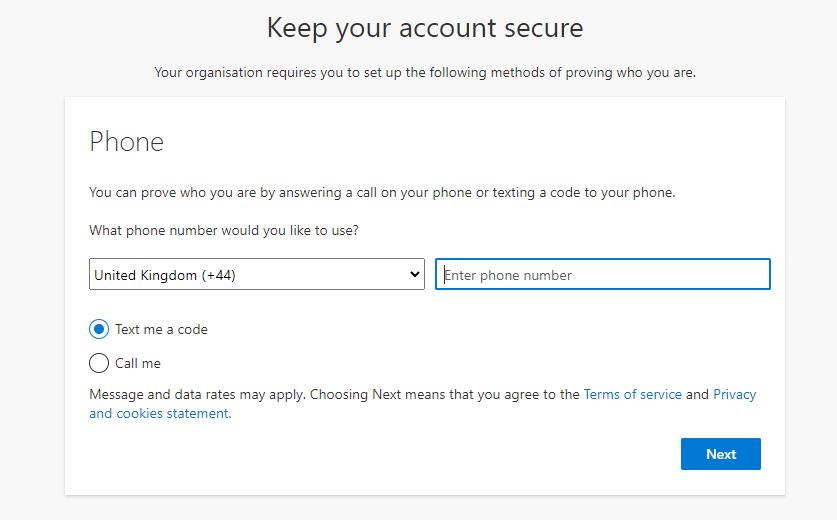 By default, this will prompt for your mobile phone number, Select the country in the dropdown (generally this should be 'United Kingdom (+44)' then enter your mobile number in the next box,
 Select your personal preference of how you want to be prompted to confirm logins on your theatre account, either by Text Message or Phone Call;
If you select 'Text me a Code' when you log in for the first time in a while or on a new device/location you will be prompted to verify by entering the 6-digit code that Microsoft will text to your registered number (as above).
Alternatively, if you select 'Call me when you log in for the first time in a while or on a new device/location you will be prompted to verify by answering the phone call and following the voice prompts.Once you have confirmed the Dialog in Step 2, you will be prompted to verify the account as selected; either by Text or Call.
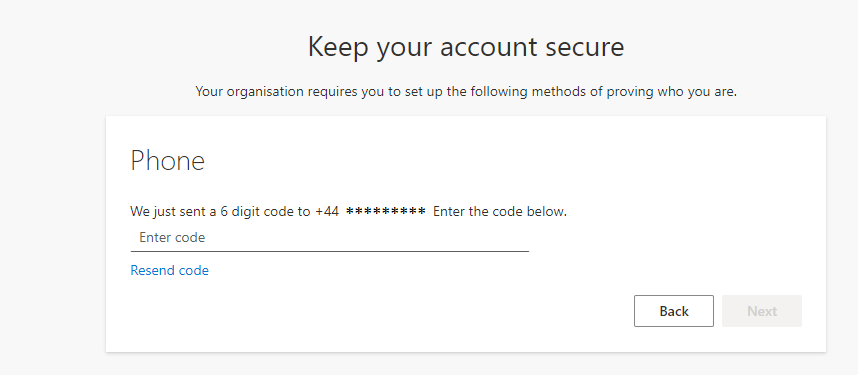
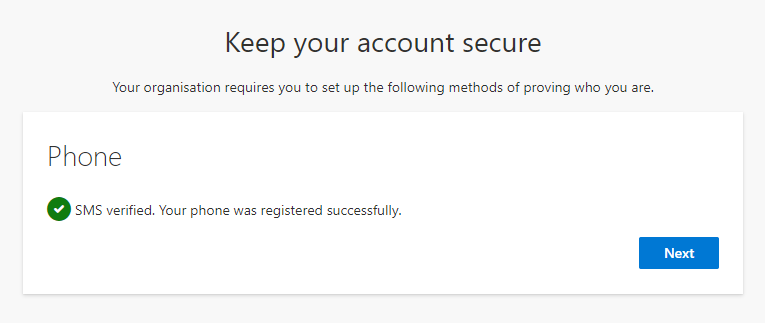
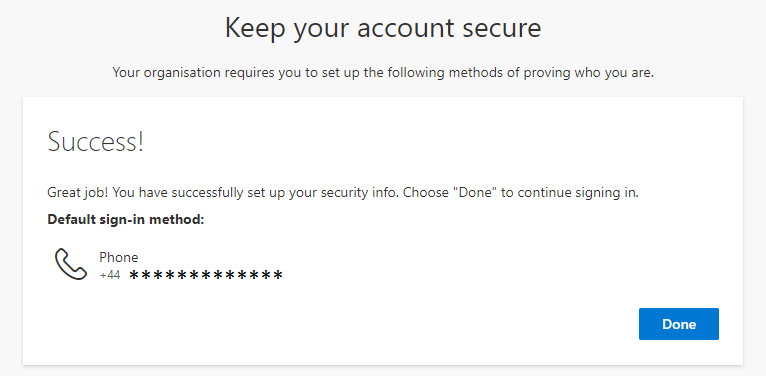
You should then see a message saying the chosen method was verified and successfully registered.