
Once IT has enabled your user to require 2-factor authentication, and you have completed the initial 2 Factor Authenication Setup as per Initial Multi-Factor Authentication Setup for End Users . & Added Additonal Methods as per Adding Additional 2 Factor Authenication Methods For End Users you can choose to change the default Verification methods to any already configured options
- Firstly Open https://aka.ms/MFASetup, and login (& verify) as prompted
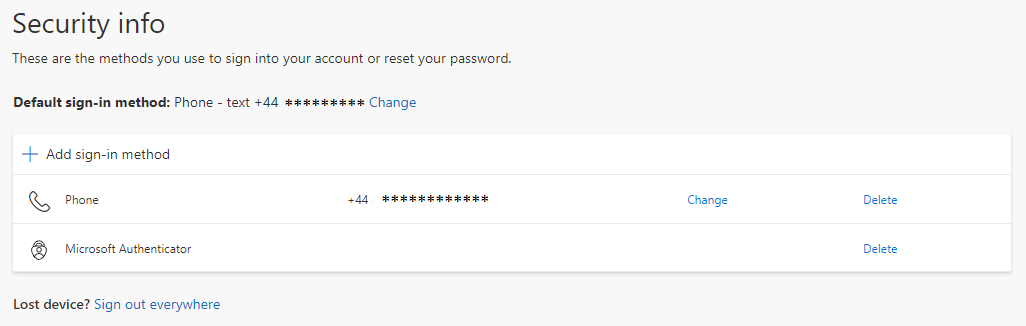
- you should now see a Security Info Page, Click change next to the Default Sign-in Method.
Select Desired Verification Method from the drop-down.
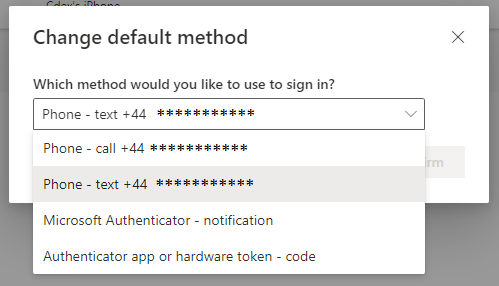
We would sugest 'Microsoft Authenticator - Nofitication'